Field note · Guide
KDA Firestarter Tutorial: Turning Still Photos into Dynamic Dance Loops
# From Still to Motion: A Practical Guide to Generating Animated Dance Sequences with KDA Transforming a static portrait into a dynamic, rhythmic movement seque...
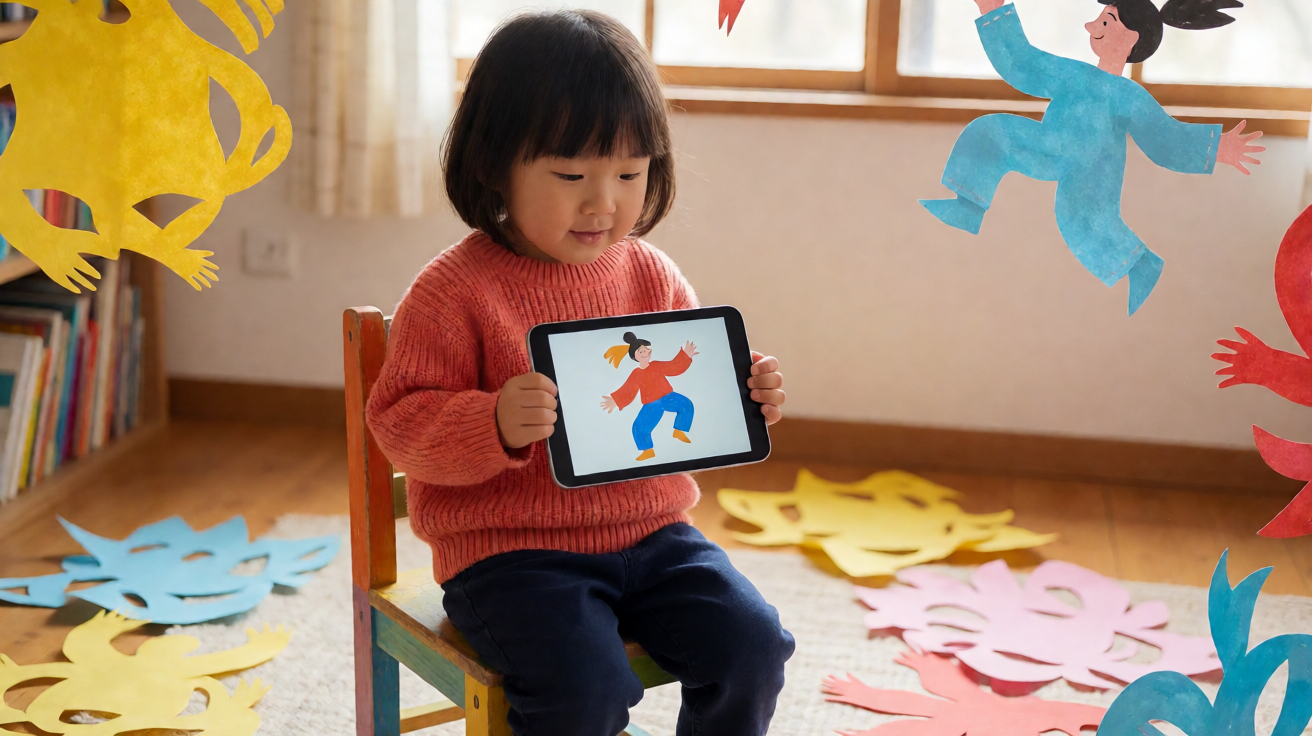
From Still to Motion: A Practical Guide to Generating Animated Dance Sequences with KDA
Transforming a static portrait into a dynamic, rhythmic movement sequence is no longer exclusive to high-end motion capture studios. With the advancement of AI creative generators, individuals can now explore how to create animated dance sequences from static portraits using KDA Dance AI. This process bridges the gap between 2D imagery and fluid kinematics, allowing users to visualize rhythm and motion without performing the choreography physically.
This guide moves beyond marketing fluff to provide a technical breakdown of the workflow. We will examine the specific input requirements, the mechanical logic of the AI model, and the realistic limitations you will encounter when generating short, reviewable clips. The goal is to equip you with a functional understanding of the tool so you can integrate it into your creative pipeline or artistic experimentation with clarity and precision.
Understanding the Core Mechanics of KDA
Before uploading your first image, it is essential to understand that KDA Dance AI is a creative generator focused on producing short, one-shot video clips. It is not a Non-Linear Editor (NLE) that allows for multi-scene timeline editing, automatic captioning, or full-length music synchronization. Instead, it functions as a specialized module that takes a static reference and projects it into a transient motion window.
The platform operates by analyzing the visual structure of a provided portrait—such as a headshot, a bust shot, or a full-body still—and applying learned motion patterns to simulate dance. The AI models utilized are designed to interpret spatial geometry and rhythmic cues to generate animation. For detailed technical specifications on the underlying architecture, you can explore the AI models section to understand which algorithms are best suited for human movement synthesis.
Key operational parameters include:
- Input Type: The system accepts text prompts describing the dance style and up to two reference still images (e.g., a front view and a side view, or a face and a full body).
- Output Format: The result is a short, loopable or single-play clip, typically ranging from 2 to 5 seconds in duration.
- Resolution: Generated clips are optimized for digital consumption, generally providing standard high-definition output suitable for social media integration or conceptual previews.
Step-by-Step Workflow for Generating Dance Animation
Creating a coherent animated sequence requires a methodical approach. Random inputs yield random results; structured inputs yield predictable, usable motion. Below is the standard procedure for leveraging KDA to animate a portrait.
1. Curate Your Reference Still(s)
The quality of your output is directly tethered to the clarity of your input. The AI needs clear visibility of the subject’s posture, clothing, and potential range of motion.
- Lighting: Ensure the portrait is evenly lit. Shadows that obscure limbs can cause the AI to hallucinate geometry.
- Framing: A full-body or waist-up shot is ideal. If using two reference stills, ensure they are consistent in lighting and angle to avoid disjointed visual artifacts during the transition.
- Neutrality: A neutral resting pose often allows the AI more freedom to define the movement dynamic. Highly stylized or rigid poses may constrain the algorithm’s ability to generate fluid dance steps.
2. Define the Motion Language via Text
While the images provide the who and the where, the text prompt provides the how. Use specific dance terminology rather than generic emotional adjectives.
- Specificity: Instead of saying "dance happy," specify "jazz choreography with hip rolls" or "ballet plié sequence."
- Rhythm Cues: Mention the tempo, such as "fast-paced hip-hop grooves" or "slow, waltz-like sways."
- Constraint Boundaries: Specify if the subject should remain in place or move across a virtual stage.
3. Select the Appropriate Model
Different models within the KDA ecosystem excel at different movement types. Some are tuned for realistic, low-motion swaying, while others are optimized for high-energy, complex step sequences. Reviewing the Homepage will give you an overview of the flagship capabilities. For deeper dives into specific motion styles, check the Blog for case studies on various genres.
4. Generate and Review
Initiate the generation process. KDA operates on a credit-based system, where the complexity of the prompt and the duration of the clip affect the credit cost. Before committing to a high-credit generation, you can estimate the cost by reviewing the Pricing page to understand the value-per-clip ratio.
Once generated, you will receive a short clip. This is not a final product but a reviewable asset. Your job is to assess:
- Anatomical Integrity: Do the limbs bend correctly? Are there any morphing artifacts?
- Temporal Coherence: Does the movement flow logically from frame to frame?
- Style Accuracy: Does the motion match the dance genre you specified in the prompt?
Managing Expectations and Limitations
It is crucial to approach this technology with a realistic framework. KDA Dance AI is a tool for creative exploration and rapid prototyping, not a replacement for professional choreography or post-production suites.
The "One-Shot" Constraint The system is designed to generate isolated, short-duration events. You cannot generate a three-minute routine in a single click. Instead, you generate a 3-second loop of a specific move. To create a longer sequence, you would need to generate multiple distinct clips and assemble them externally using traditional video editing software. KDA does not handle the assembly, timeline management, or audio syncing.
Honest Limitations
- Complex Transitions: Rapid changes in dance style within a single clip can cause visual instability. It is better to generate one move per clip.
- Clothing Physics: Heavy, flowing fabrics may not simulate perfectly. The AI prioritizes body movement over fabric dynamics.
- Background Interference: If your portrait has a cluttered background, the AI may struggle to isolate the subject. Clean, isolated portraits yield superior results.
Optimizing for Professional Use Cases
Professionals often use KDA for conceptual previews. For instance, a choreographer might generate a static portrait of a dancer and prompt "interpretive contemporary dance with slow arm extensions" to visualize a new piece before blocking it on a studio floor. Similarly, a game designer might use a character portrait to test animated emotes for a video game asset pipeline.
To maximize the utility of the tool:
- Iterate Rapidly: Use the low-cost, short-clip nature of the generator to test multiple movement styles quickly.
- Standardize Inputs: Keep your reference stills consistent across tests to isolate the variable of the text prompt.
- Document Results: Take notes on which prompt phrasings produce the most coherent motion. This data becomes valuable as you build a library of effective commands.
Conclusion
Creating animated dance sequences from static portraits is a powerful application of modern AI, offering a democratic entry point into motion design. By understanding the mechanics of KDA Dance AI—specifically its focus on short, reviewable clips and its reliance on high-quality static inputs—you can produce high-fidelity movement assets efficiently.
Whether you are a dancer seeking a new visualization tool or a developer integrating AI-generated motion into interactive media, the key lies in structured prompting and realistic expectations. Start with clean references, precise text cues, and a clear understanding of the platform's boundaries. The technology is evolving rapidly, and staying engaged with the latest updates on the platform will ensure you are leveraging its full potential.
For further inspiration and community-driven examples, visit the Blog to see how other creators are pushing the boundaries of static-to-motion generation.
Questions readers ask
Questions About This KDA Dance AI Video Guide
What is KDA Dance AI and how does it work with static portraits?
KDA Dance AI is a scenario-video tool that uses advanced motion capture models to animate static portraits. By uploading a single photo, our algorithms simulate realistic body mechanics and fluid movement to generate dynamic dance sequences tailored to your chosen style.
Does KDA offer a free trial or trial credits for new users?
Yes, KDA provides a limited number of free trial credits for new accounts to allow users to test the platform. These credits can be used to generate short preview clips; once exhausted, a subscription or paid plan is required for full access and higher resolution outputs.
Are there watermarks on videos generated during the free trial period?
Videos generated using free trial credits typically include a small KDA branding watermark in the corner. Paid subscribers and commercial plan holders receive watermark-free exports suitable for professional distribution.
Can I use commercially generated dance sequences for monetized content?
Yes, users on paid and commercial plans hold full intellectual property rights to the generated videos. This allows for use in advertisements, social media content, and other monetized platforms, provided that the source portrait used adheres to existing licensing agreements.
How long does it take to generate a high-quality dance sequence?
Generation speed varies based on video length and complexity, but most standard 5-second clips render within 2 to 5 minutes. Higher resolution or longer sequences may take up to 15 minutes, depending on current server load and queue position.
What should I do if a generation fails or the motion looks unnatural?
If a generation fails or produces artifacts, check that the input portrait has sufficient lighting and clear facial features. Try adjusting the 'rigidity' or 'flow' parameters in the advanced settings. If the issue persists, clear your browser cache or contact KDA support with the generation ID for technical troubleshooting.
How does KDA handle data privacy and user uploaded portraits?
All uploaded portraits are encrypted during transit and stored securely for 24 hours after generation, after which they are permanently deleted unless a user explicitly archives them. KDA does not use user-uploaded face data for model training without explicit, separate consent in accordance with GDPR and CCPA standards.
What are the copyright implications of using celebrity or other people's photos?
Users are solely responsible for ensuring they have the right to use any portrait they upload. Generating dance sequences from copyrighted images or using them for public display may infringe upon the original photographer's rights or the subject's right of publicity. KDA recommends using self-owned content or properly licensed assets.
More KDA Dance AI guides
Related video guides
 How to Make a KDA Firestarter Video From One PhotoA practical guide to preparing one photo, choosing a frame, and reviewing a KDA Firestarter-inspired dance video before sharing.How to Turn a KDA Firestarter Cosplay Photo Into a Dance VideoA practical photo guide for using a cosplay look or original character image in a fixed KDA Firestarter dance-video workflow.KDA Dance AI | KDA Firestarter GIF or Video? Start With the Right ImageA format guide for people searching for a KDA Firestarter GIF, PFP, wallpaper, or 4K image and deciding how to create a short dance-video result.
Ready to test the format?
Turn one guide into a private dance-video test
Choose one authorized image, select 9:16 or 16:9, and review the fixed Firestarter-inspired performance before sharing.