Field note · Guide
Step-by-Step: Mastering the KDA Interface for Your First AI Choreography
# Mastering the Foundations: A Strategic Look at the KDA Dance Academy Curriculum for Beginners Learning to dance is not just about memorizing steps; it is abou...
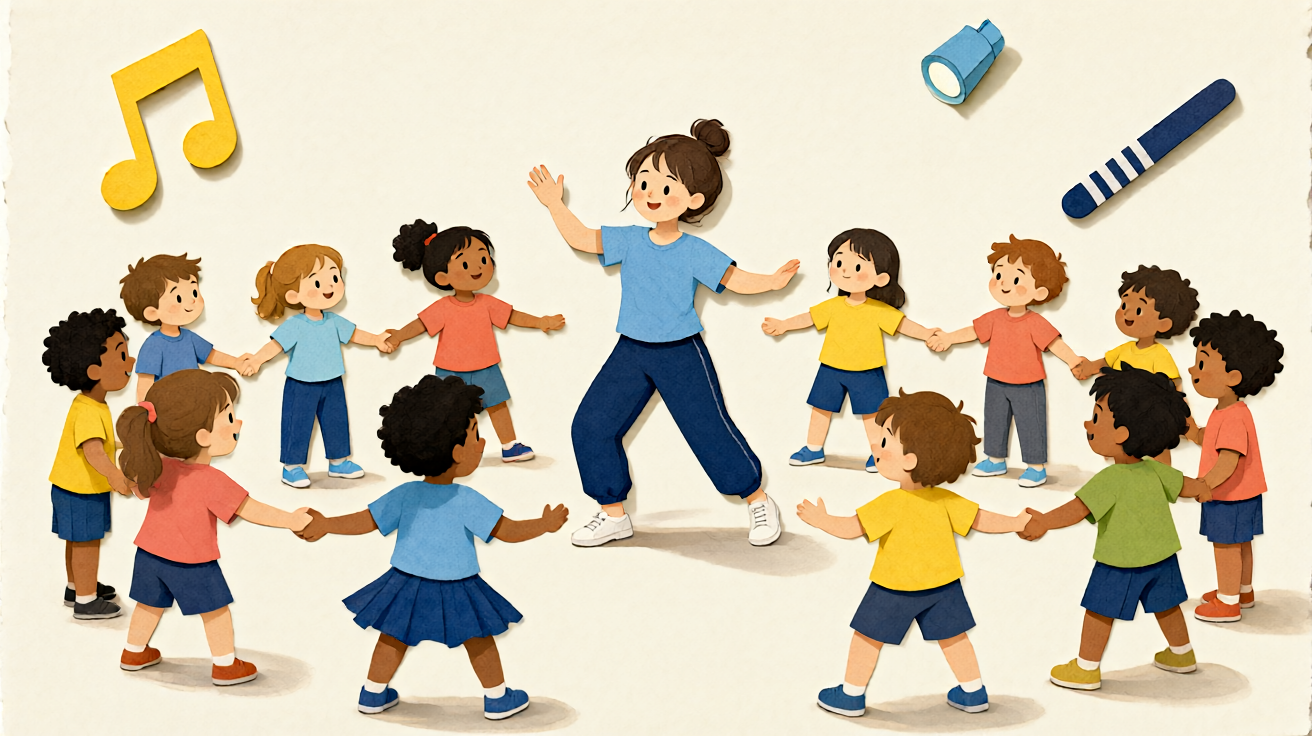
Mastering the Foundations: A Strategic Look at the KDA Dance Academy Curriculum for Beginners
Learning to dance is not just about memorizing steps; it is about building a kinesthetic vocabulary that allows you to express rhythm, emotion, and body control. For many aspiring dancers, the jump from watching a video tutorial to executing a coherent routine can feel daunting. The KDA dance academy curriculum for beginners serves as a structural framework to bridge that gap. It moves away from random step collection and toward a deliberate pedagogical path that prioritizes anatomy, musicality, and foundational technique.
This guide breaks down how a structured beginner curriculum works, why it matters for your development, and how modern digital tools can accelerate your learning journey without compromising artistic integrity.
Why Structure Matters More Than Rhythm Alone
One of the most common pitfalls for self-taught dancers is the "copy-paste" syndrome. You learn a hip-hop move, then a salsa step, and finally a contemporary wave, without understanding how they connect. This leads to disjointed performances and increased injury risk. A comprehensive beginner academy curriculum addresses this by categorizing skills into progressive modules.
In the KDA model, the initial phase is not about performance readiness; it is about foundational alignment. Before you can rotate your torso dynamically, you need to understand neutral spine position. Before you can execute a clean turn, you need to understand center gravity.
Core Pillars of the Beginner Syllabus
A robust curriculum for newcomers typically revolves around three pillars. Understanding these will help you assess which resources are truly valuable for your growth:
- Body Mapping and Awareness: This involves learning the names and functions of specific muscle groups relevant to dance. It includes grounding techniques, balance drills, and joint mobility work.
- Rhythm and Counting: Moving beyond feeling the music, you must learn to subdivide beats. This is crucial for keeping time in partner dances and complex freestyle sessions.
- Vocabulary Building: Instead of learning "routines," you learn "elements." For example, in hip-hop, you learn the "pop," "lock," and "wave" individually before stringing them together into a choreographic phrase.
Bridging the Gap Between Theory and Practice
Theoretical knowledge of a curriculum is useless if you cannot visualize the movement. This is where the traditional academic dance studio meets modern digital innovation. While traditional academies provide the syllabus, digital tools provide the immediate feedback loop that is often missing in solo practice.
When studying a new step, beginners often struggle with spatial orientation. Is the arm movement high or low? How fast is the transition? By breaking down these elements, you can focus on precision rather than guesswork.
How AI Assists in Choreographic Visualization
For students following a rigorous academy path, the ability to visualize a sequence before dancing it can reduce anxiety and improve muscle memory formation. Tools like AI models allow you to input text descriptions of movement sequences to see how they flow. This does not replace physical practice, but it acts as a conceptual scaffold. For instance, if your curriculum requires you to create a 32-count segment featuring specific transitions, you can use these tools to draft and review the flow logically before stepping onto the dance floor.
You can explore how these tools integrate with creative learning on our Blog, where we discuss practical workflows for combining technical study with digital experimentation.
Designing Your Personalized Study Schedule
The KDA curriculum for beginners is not a linear track that everyone must follow at the same speed. It is a framework. To get the most out of it, you must design a study schedule that balances technical drills with creative application.
A recommended weekly structure for a dedicated beginner might look like this:
- Monday & Wednesday (Technical Focus): Isolate specific elements from the current module. Spend 20 minutes on warm-ups, 40 minutes on isolated drills (e.g., isolations, floor work), and 10 minutes on cooldown.
- Tuesday & Thursday (Musicality & Composition): Use the elements from your technical days to create short phrases. Focus on dynamics—making movements sharp vs. smooth.
- Friday (Integration & Review): Attempt to combine elements into a short piece. Record yourself.
- Weekend (Rest & Analysis): Review your recordings. Note areas where your alignment drifted or where you lost count.
This iterative process ensures that you are not just going through the motions, but actively engaging with the material. It mirrors the way professional studios structure class, ensuring that skill acquisition is compounding rather than linear.
Leveraging Digital Tools for Short-Form Creative Output
While the primary goal of the curriculum is skill acquisition, the modern dancer also needs to understand how their art translates to digital mediums. This does not mean you need to become a video editor. Instead, you can use simple generative tools to test how your choreographic ideas look in different contexts.
When using generative video tools for dance concepts, it is important to set realistic expectations. These tools are best suited for creating short, reviewable one-shot clips based on text prompts or up to two reference stills. They are not full non-linear editing (NLE) suites; they do not handle complex multi-scene editing, automated captions, or music synchronization.
For example, if you are studying the "wave" element in your curriculum, you might generate a 5-10 second clip showing a torso wave to analyze the ripple pattern visually. This short clip can serve as a visual aid to understand the propagation of movement.
When working with these platforms, note that the tested model typically operates within specific resolution limits (often 720p or 1080p) and duration constraints. You should estimate the credit cost before generating a full sequence, as rendering costs vary by length and complexity. The honest limitation here is that AI-generated movement can sometimes lack the subtle, organic timing that a human dancer provides. It is a tool for conceptualization, not a replacement for embodied practice.
To see what is possible with current generative capabilities, you can check the Pricing page to understand the budget required for experimentation alongside your regular studio fees.
Common Beginner Mistakes and How to Avoid Them
Even with a solid curriculum, beginners will make errors. Recognizing these early can save months of frustration.
- Rushing the Transitions: Beginners often focus on the peak of a move and ignore the path between moves. The KDA curriculum emphasizes the "connective tissue" of dance. Practice moving slowly to ensure every transition is controlled.
- Ignoring Music Structure: Do not just dance to the beat; dance to the phrasing. Learn where the downbeats are and how the melody dictates emotional shifts in your movement.
- Poor Mirror Usage: Mirrors are for checking alignment, not for constant aesthetic judgment. Use the mirror to confirm your angles, then turn away and trust your proprioception (body sense). Over-reliance on mirrors can inhibit natural expression.
Integrating Feedback Loops
The final component of a successful beginner journey is feedback. In a traditional academy, this comes from the instructor. In a self-study or hybrid model, you need to create your own feedback loops.
- Record Weekly: Capture your practice sessions.
- Compare with Reference Material: Watch side-by-side with professional tutorials that align with your curriculum module.
- Use AI for Visual Drafting: If you are stuck on a creative block, use KDA Dance AI to generate visual concepts for new combinations. This can break the mental logjam by providing a fresh visual perspective, allowing you to then apply your physical skills to execute the idea.
Conclusion
The KDA dance academy curriculum for beginners is more than a list of steps; it is a map for developing artistic confidence and technical proficiency. By understanding the pillars of body mapping, rhythm, and vocabulary, you create a foundation that supports all future learning. Supplementing this physical training with digital visualization tools allows you to test ideas efficiently and maintain momentum in your practice.
Remember that progress in dance is non-linear. There will be days when the moves feel effortless and days when you feel clumsy. The curriculum provides the structure to keep you moving forward, even when motivation wanes. Start with the fundamentals, be consistent with your practice schedule, and embrace the intersection of physical discipline and creative exploration. Your body is the instrument; the curriculum is the sheet music. Learn to read it, practice it, and ultimately, perform it with authenticity.
Questions readers ask
Questions About This KDA Dance AI Video Guide
How does the KDA Dance Academy beginner curriculum integrate with KDA Dance AI's video generation features?
The KDA Dance Academy curriculum for beginners provides structured step-by-step instructions and reference demos. You can input these specific movement patterns into KDA Dance AI to instantly generate high-quality visual examples or personalized practice videos without needing to film yourself first, making the learning process more interactive.
Can I use the KDA Dance AI scenario-video tool for free, and are there any trial credits?
KDA Dance AI typically offers a limited number of free generation credits upon registration to allow users to test the platform. However, for full access to the advanced beginner curriculum modules and unlimited video generations, a subscription is required. Please check the current pricing page for specific trial limits.
Do videos generated from the KDA Dance Academy beginner curriculum include watermarks?
Standard free-tier generations may include a KDA Dance AI watermark on the video output. Subscribers and users with commercial licenses can usually remove watermarks or generate clean videos depending on their specific plan. Always review your plan details to confirm watermark policies before exporting content.
Am I allowed to use AI-generated beginner dance tutorials for commercial projects?
Commercial use rights vary by subscription tier. Higher-tier plans generally include a license to use generated videos for commercial purposes, such as in educational courses or marketing materials. Basic free trials or low-tier plans are typically restricted to personal, non-commercial use. Please refer to the Terms of Service for specific commercial licensing guidelines.
How fast does KDA Dance AI generate scenario videos based on beginner curriculum inputs?
Generation speed depends on the complexity of the movement sequence and current server load. Typically, a standard beginner-level scenario video ranging from 15 to 30 seconds is processed within a few minutes. During peak times, you may experience slightly longer wait times as the AI models render high-fidelity dance movements.
What should I do if a video generation fails or looks incorrect, and is my data private?
If a generation fails or outputs unexpected results, try simplifying the movement description or using the pre-set beginner curriculum tags rather than custom text prompts. Regarding privacy, KDA Dance AI processes your input data securely, but specific retention policies for generated content should be reviewed in the Data Privacy Notice. Users are advised to keep their intellectual property secure by understanding what data is stored and retained after the session ends.
More KDA Dance AI guides
Related video guides
 How to Make a KDA Firestarter Video From One PhotoA practical guide to preparing one photo, choosing a frame, and reviewing a KDA Firestarter-inspired dance video before sharing.How to Turn a KDA Firestarter Cosplay Photo Into a Dance VideoA practical photo guide for using a cosplay look or original character image in a fixed KDA Firestarter dance-video workflow.KDA Dance AI | KDA Firestarter GIF or Video? Start With the Right ImageA format guide for people searching for a KDA Firestarter GIF, PFP, wallpaper, or 4K image and deciding how to create a short dance-video result.
Ready to test the format?
Turn one guide into a private dance-video test
Choose one authorized image, select 9:16 or 16:9, and review the fixed Firestarter-inspired performance before sharing.